| Предыдущая тема :: Следующая тема |
| Автор |
Сообщение |
magnet-2009 


Зарегистрирован: 22.04.2009
Сообщения: 505
Откуда: Greece, Athens
|
 Отправлено: Вт Фев 02, 2010 10:28 pm Заголовок сообщения: Workflows !!!! |
|
Отправлено: Вт Фев 02, 2010 10:28 pm Заголовок сообщения: Workflows !!!! |
|
|
magnet-2009 wrote:
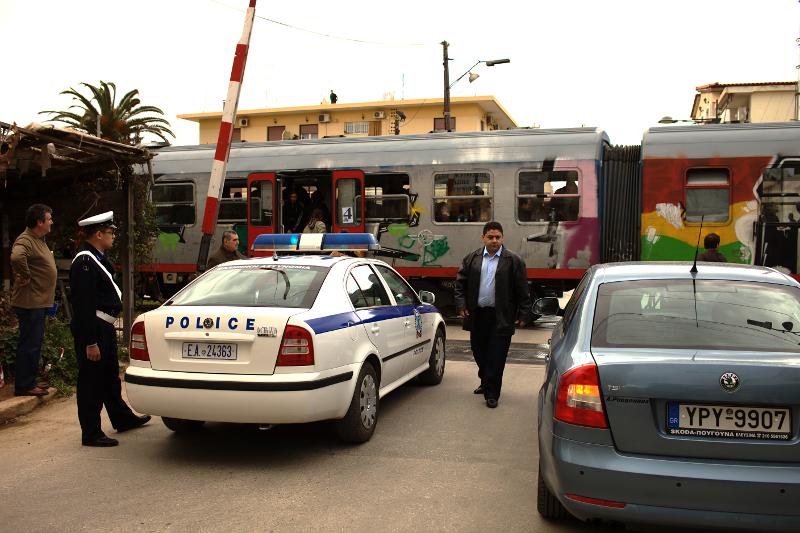
Let's play the game.
Here you are, 2 Canon raw files of mine:
http://www.mflenses.com/images/forum/IMG_1428.CR2
http://www.mflenses.com/images/forum/IMG_1435.CR2
No special frames.
You can download and post process them following your workflow. Then we could describe the workflows,compare the results, and discuss about tips and tricks.
Do your best....  if you have the time... 
_________________
My flickr___ My Wix___ RailPictures |
|
| Наверх |
|
 |
cooltouch


Зарегистрирован: 15.01.2009
Сообщения: 9096
Откуда: Houston, Texas
|
Отправлено: Ср Фев 03, 2010 2:09 am Заголовок сообщения: |
|
Отправлено: Ср Фев 03, 2010 2:09 am Заголовок сообщения: |
|
|
cooltouch wrote:
Welp, I d/l'd your files, but Canon's DPP -- which I use to read and manipulate .cr2 files -- doesn't recognize them.
_________________
Michael
My Gear List: http://michaelmcbroom.com/photo/gear.html
My Gallery: http://michaelmcbroom.com/gallery3/index.php/
My Flickr Page: https://www.flickr.com/photos/11308754@N08/albums
My Music: https://soundcloud.com/michaelmcbroom/albums
My Blog: http://michaelmcbroom.com/blogistan/ |
|
| Наверх |
|
|
magnet-2009
Зарегистрирован: 22.04.2009
Сообщения: 505
Откуда: Greece, Athens
|
Отправлено: Ср Фев 03, 2010 6:24 am Заголовок сообщения: |
|
Отправлено: Ср Фев 03, 2010 6:24 am Заголовок сообщения: |
|
|
magnet-2009 wrote:
Why? Only 5dii users can play the game?
Maybe an update could solve the problem. 
_________________
My flickr___ My Wix___ RailPictures |
|
| Наверх |
|
|
cooltouch
Зарегистрирован: 15.01.2009
Сообщения: 9096
Откуда: Houston, Texas
|
Отправлено: Ср Фев 03, 2010 10:50 pm Заголовок сообщения: |
|
Отправлено: Ср Фев 03, 2010 10:50 pm Заголовок сообщения: |
|
|
cooltouch wrote:
I tried d/l-ing them directly to my image processing software, which reads .cr2 files. This time I got images -- of sorts. Partial images, actually. Both are monochromatic -- pink and white. The 1428 image shows what appears to be the far left portion of a larger image, showing what looks like a policeman with a corner of his car showing. The second appears to be the bottom of an image, showing some railroad tracks.
Workflow-wise, there isn't much I can do with pink-and-white images that appear to be very small crops of larger images.
_________________
Michael
My Gear List: http://michaelmcbroom.com/photo/gear.html
My Gallery: http://michaelmcbroom.com/gallery3/index.php/
My Flickr Page: https://www.flickr.com/photos/11308754@N08/albums
My Music: https://soundcloud.com/michaelmcbroom/albums
My Blog: http://michaelmcbroom.com/blogistan/ |
|
| Наверх |
|
|
SkedAddled

Зарегистрирован: 19.10.2008
Сообщения: 1447
Откуда: Michigan, USA
Expire: 2021-08-12
|
Отправлено: Чт Фев 04, 2010 1:27 am Заголовок сообщения: |
|
Отправлено: Чт Фев 04, 2010 1:27 am Заголовок сообщения: |
|
|
SkedAddled wrote:
Photoshop CS3 can't open them, either.
_________________
Craig
Of course I'm all right! Why? What have you heard!?
Canon Digital EOS 5D Mk IV, EOS 50D, Powershot S3 iS
Vivitar 28 f/2.8 OM - Zuiko 50 f/1.8 OM - Tamron SP 28-80 f/3.5 AD2[Favorite!] - Hanimar 135 f/3.5 M42 - Soligor 135 f/2.8 T4 - Tamron SP 60-300 f/3.8 AD2 - Soligor 75-260 f/4.5 M42 - Soligor 400 f/6.3 T4 - Soligor 500 f/8 T2 Cat + Matched 2X TC - Addiction Growing!
This is us -- We drive these -- We're named these |
|
| Наверх |
|
|
magnet-2009
Зарегистрирован: 22.04.2009
Сообщения: 505
Откуда: Greece, Athens
|
Отправлено: Чт Фев 04, 2010 7:09 am Заголовок сообщения: |
|
Отправлено: Чт Фев 04, 2010 7:09 am Заголовок сообщения: |
|
|
magnet-2009 wrote:
I checked the first one, Camera Raw opens the file, everything works fine.
_________________
My flickr___ My Wix___ RailPictures |
|
| Наверх |
|
|
kansalliskala

Зарегистрирован: 19.07.2007
Сообщения: 5122
Откуда: Southern Finland countryside
Expire: 2016-12-30
|
Отправлено: Чт Фев 04, 2010 9:14 am Заголовок сообщения: |
|
Отправлено: Чт Фев 04, 2010 9:14 am Заголовок сообщения: |
|
|
kansalliskala wrote:
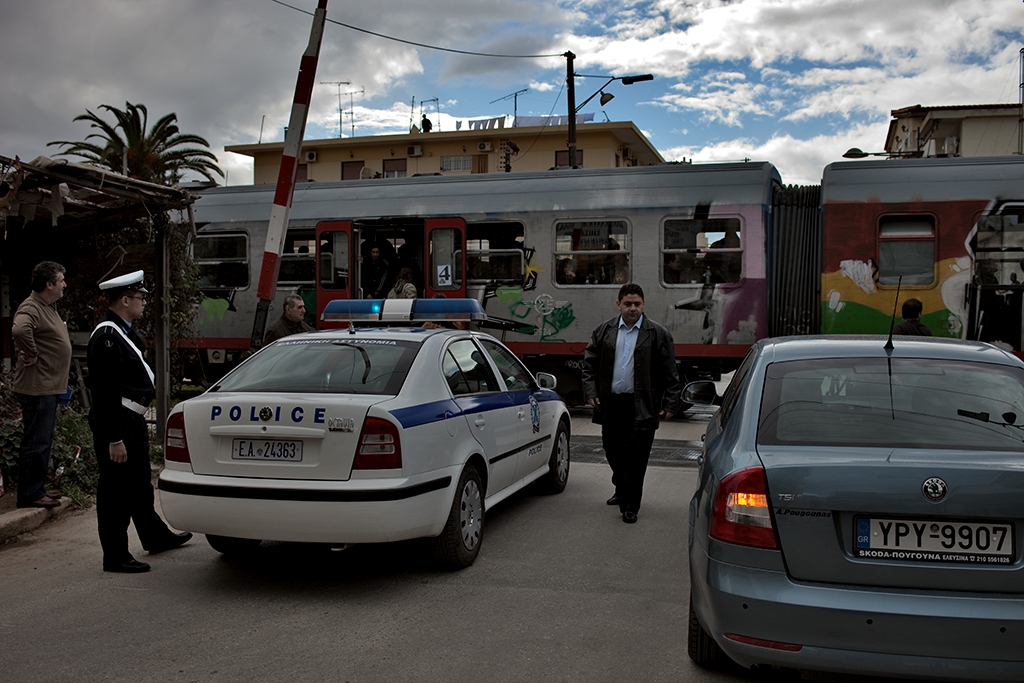
1 check the file with "Avasti"
2 DPP 2.2.0.1 don't understand the file, no preview
3 switching to UFRaw - ok the file opens, interesting picture but don't remember how interface works
4 going to RawTherapee - ok file opens
5 the picture looks much darker here .. which one is the right one?
6 trying "auto levels" - don't know what happened
7 trying to adjust curve - not sure what happened
8 my computer is too slow for this program, taking a headache pill and going back to UFRaw
9 looking at 100% - now I understand one task, don't think I'm going to start correcting 'that' with this strange program
10 surprising amount of chroma -> "denoise 20"
11 the sky is totally white, can't correct exposure so found curve tool and pressed it slightly down to create at least dramatic picture
12 tried "saturation", no need to chage
13 changing color temperature from 5850 to 6400 (it is winter here, could use warm colors)
14 saving to png and switch to gimp
15 selecting all 'that' color crudely from the sky and putting into path
16 filled selection with sky color (not a very good result)
17 unsharp mask 3 0.3
18 ok - not perfect but acceptable saving small scale jpg
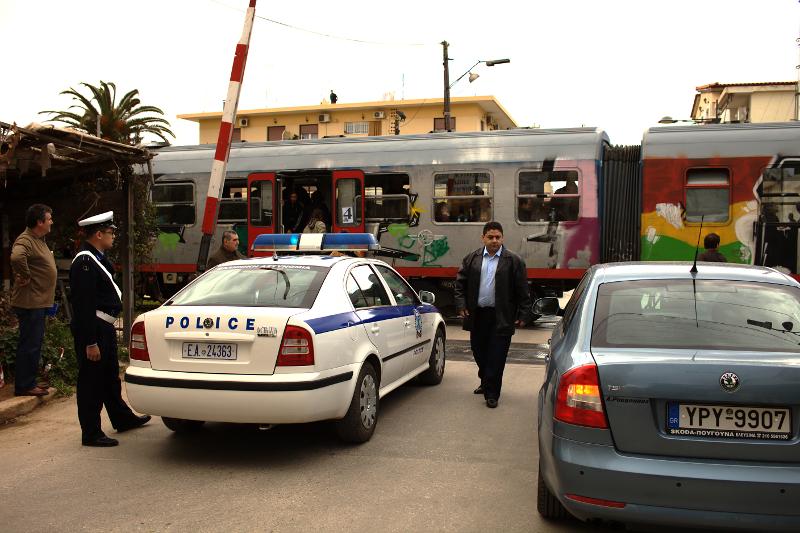
19 I wonder if this display is right .. ?
_________________
MF: Kodak DCS SLR/c; Samsung NX10; OM-10; Canon T50
Zuiko 28/3.5, Distagon 35/2.8; Yashica ML 50/2;
Zuiko 50/1.4; S-M-C 120/2.8; Zuiko 135/3.5; 200/5;
Tamron AD1 135/2.8, Soligor 180/3.5; Tamron AD1 300/5.6
Tamron zooms: 01A, Z-210
Yashicaflex C; Київ 4 + Юпитер 8, 11; Polaroid 100; Olympus XA; Yashica T3
Museum stuff: Certo-Phot; Tele-Edixon 135; Polaris 90-190; Asahi Bellows; Ixus IIs
Projects: Agfa Isolette III (no shutter), Canon AE-1D (no sensor),
Nikon D80 (dead), The "Peace Camera"
AF: Canon, Tokina, Sigma Video: JVC GZ-MG275E |
|
| Наверх |
|
|
magnet-2009
Зарегистрирован: 22.04.2009
Сообщения: 505
Откуда: Greece, Athens
|
Отправлено: Чт Фев 04, 2010 10:22 am Заголовок сообщения: |
|
Отправлено: Чт Фев 04, 2010 10:22 am Заголовок сообщения: |
|
|
magnet-2009 wrote:
kansalliskala thank you for your posting. The colors are very good. I remember that there was more sky information in the raw file, I'll check it in the afternoon. The weather was cloudy.
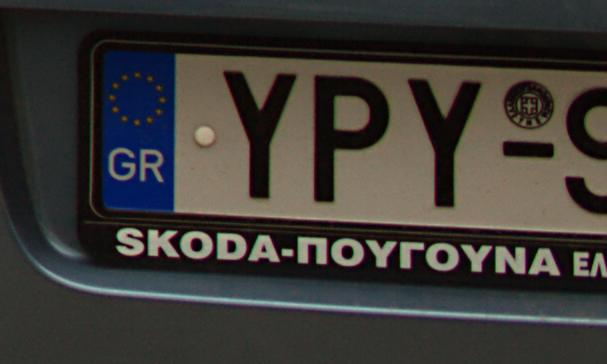
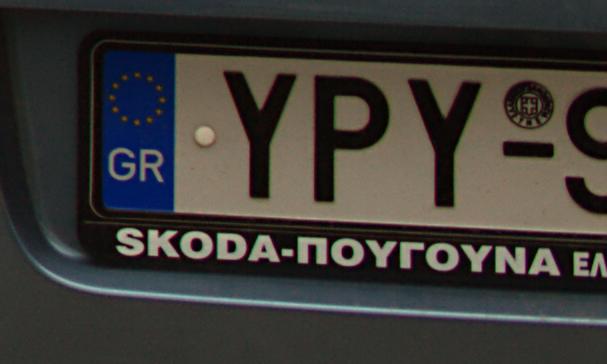
The sharpening destroyed the letters at the road number of Skoda car. I would like to read the comments of our pp specialists.
_________________
My flickr___ My Wix___ RailPictures |
|
| Наверх |
|
|
kansalliskala
Зарегистрирован: 19.07.2007
Сообщения: 5122
Откуда: Southern Finland countryside
Expire: 2016-12-30
|
Отправлено: Чт Фев 04, 2010 12:59 pm Заголовок сообщения: |
|
Отправлено: Чт Фев 04, 2010 12:59 pm Заголовок сообщения: |
|
|
kansalliskala wrote:
| magnet-2009 писал(а): |
The sharpening destroyed the letters at the road number of Skoda car. I would like to read the comments of our pp specialists. |
It was scaling and jpg. It starts to be difficult to handle 5DII pictures over internet.
_________________
MF: Kodak DCS SLR/c; Samsung NX10; OM-10; Canon T50
Zuiko 28/3.5, Distagon 35/2.8; Yashica ML 50/2;
Zuiko 50/1.4; S-M-C 120/2.8; Zuiko 135/3.5; 200/5;
Tamron AD1 135/2.8, Soligor 180/3.5; Tamron AD1 300/5.6
Tamron zooms: 01A, Z-210
Yashicaflex C; Київ 4 + Юпитер 8, 11; Polaroid 100; Olympus XA; Yashica T3
Museum stuff: Certo-Phot; Tele-Edixon 135; Polaris 90-190; Asahi Bellows; Ixus IIs
Projects: Agfa Isolette III (no shutter), Canon AE-1D (no sensor),
Nikon D80 (dead), The "Peace Camera"
AF: Canon, Tokina, Sigma Video: JVC GZ-MG275E |
|
| Наверх |
|
|
magnet-2009
Зарегистрирован: 22.04.2009
Сообщения: 505
Откуда: Greece, Athens
|
Отправлено: Чт Фев 04, 2010 2:56 pm Заголовок сообщения: |
|
Отправлено: Чт Фев 04, 2010 2:56 pm Заголовок сообщения: |
|
|
magnet-2009 wrote:
There is more sky information. The sky cropped after camera raw without pp:

_________________
My flickr___ My Wix___ RailPictures |
|
| Наверх |
|
|
poilu
Зарегистрирован: 26.08.2007
Сообщения: 10476
Откуда: Greece
Expire: 2019-08-29
|
Отправлено: Чт Фев 04, 2010 3:29 pm Заголовок сообщения: |
|
Отправлено: Чт Фев 04, 2010 3:29 pm Заголовок сообщения: |
|
|
poilu wrote:
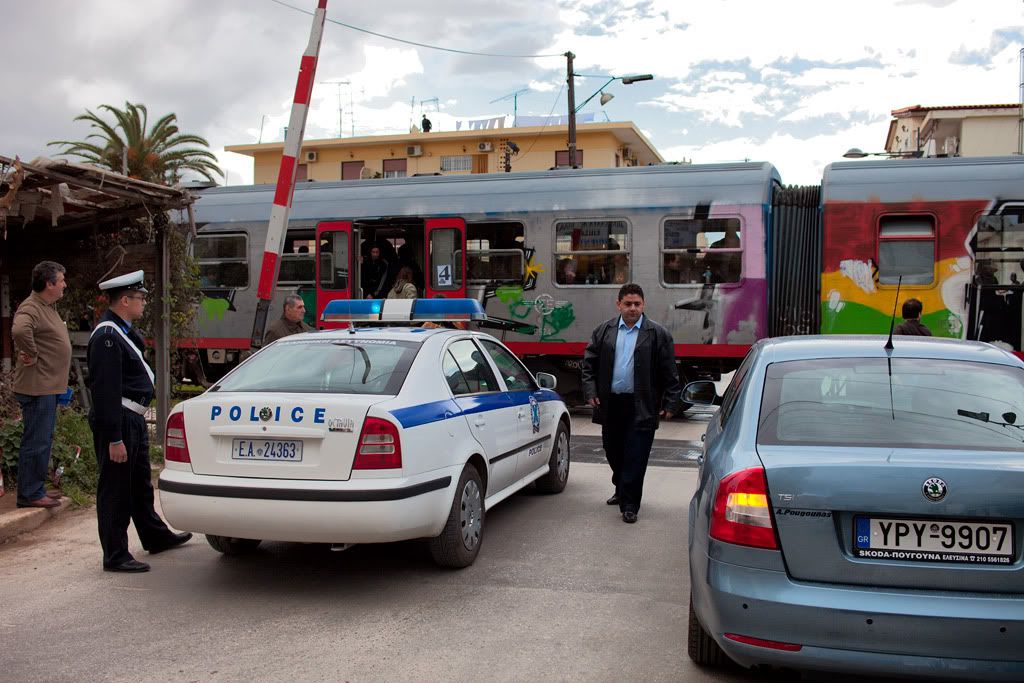
there is some sky but it is gray and rainy
here is a sample to show what not do, extra saturation, extra shadows, extra contrast, extra no good
 |
|
| Наверх |
|
|
magnet-2009
Зарегистрирован: 22.04.2009
Сообщения: 505
Откуда: Greece, Athens
|
Отправлено: Чт Фев 04, 2010 7:41 pm Заголовок сообщения: |
|
Отправлено: Чт Фев 04, 2010 7:41 pm Заголовок сообщения: |
|
|
magnet-2009 wrote:
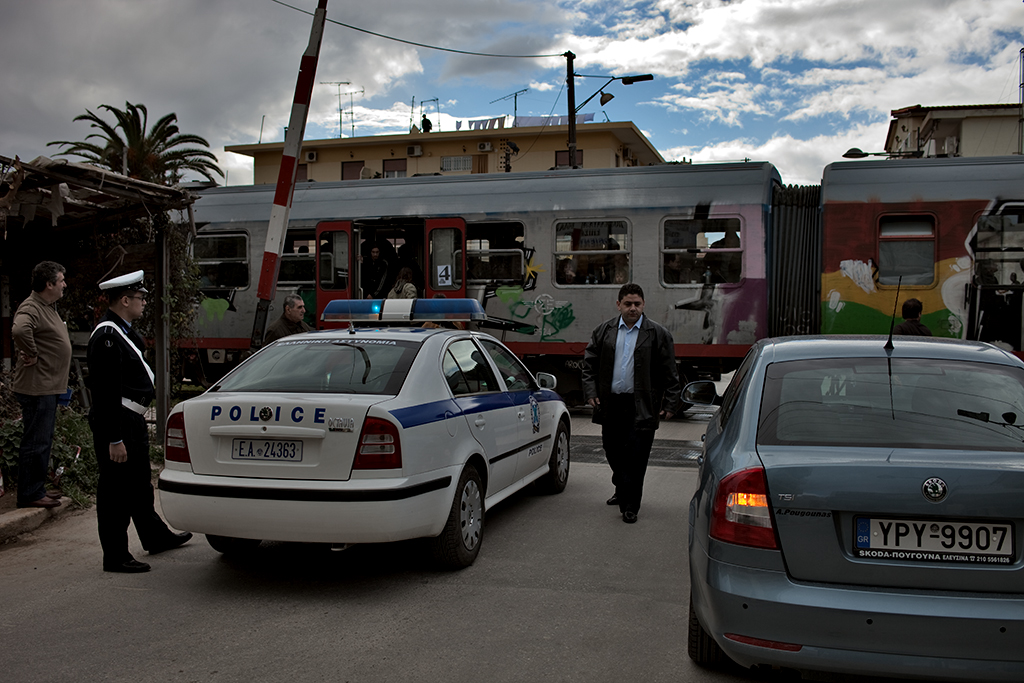
In fact the sky was like that:
_________________
My flickr___ My Wix___ RailPictures |
|
| Наверх |
|
|
poilu
Зарегистрирован: 26.08.2007
Сообщения: 10476
Откуда: Greece
Expire: 2019-08-29
|
Отправлено: Чт Фев 04, 2010 9:00 pm Заголовок сообщения: |
|
Отправлено: Чт Фев 04, 2010 9:00 pm Заголовок сообщения: |
|
|
poilu wrote:
yes, nice blue sky! |
|
| Наверх |
|
|
kansalliskala
Зарегистрирован: 19.07.2007
Сообщения: 5122
Откуда: Southern Finland countryside
Expire: 2016-12-30
|
Отправлено: Пт Фев 05, 2010 7:54 am Заголовок сообщения: |
|
Отправлено: Пт Фев 05, 2010 7:54 am Заголовок сообщения: |
|
|
kansalliskala wrote:
Yes, that is what I also saw in RawTherapy. It is amazing how differently software handle raw.
_________________
MF: Kodak DCS SLR/c; Samsung NX10; OM-10; Canon T50
Zuiko 28/3.5, Distagon 35/2.8; Yashica ML 50/2;
Zuiko 50/1.4; S-M-C 120/2.8; Zuiko 135/3.5; 200/5;
Tamron AD1 135/2.8, Soligor 180/3.5; Tamron AD1 300/5.6
Tamron zooms: 01A, Z-210
Yashicaflex C; Київ 4 + Юпитер 8, 11; Polaroid 100; Olympus XA; Yashica T3
Museum stuff: Certo-Phot; Tele-Edixon 135; Polaris 90-190; Asahi Bellows; Ixus IIs
Projects: Agfa Isolette III (no shutter), Canon AE-1D (no sensor),
Nikon D80 (dead), The "Peace Camera"
AF: Canon, Tokina, Sigma Video: JVC GZ-MG275E |
|
| Наверх |
|
|
kansalliskala
Зарегистрирован: 19.07.2007
Сообщения: 5122
Откуда: Southern Finland countryside
Expire: 2016-12-30
|
Отправлено: Пт Фев 05, 2010 8:01 am Заголовок сообщения: |
|
Отправлено: Пт Фев 05, 2010 8:01 am Заголовок сообщения: |
|
|
kansalliskala wrote:
Now that I look again, UFRaw put +2 exposure for some reason. Not a very familiar program so didn't notice that. 
EDIT: now I remember why I never use it. It leaves all the parameters to the same as the last edit was .. 
_________________
MF: Kodak DCS SLR/c; Samsung NX10; OM-10; Canon T50
Zuiko 28/3.5, Distagon 35/2.8; Yashica ML 50/2;
Zuiko 50/1.4; S-M-C 120/2.8; Zuiko 135/3.5; 200/5;
Tamron AD1 135/2.8, Soligor 180/3.5; Tamron AD1 300/5.6
Tamron zooms: 01A, Z-210
Yashicaflex C; Київ 4 + Юпитер 8, 11; Polaroid 100; Olympus XA; Yashica T3
Museum stuff: Certo-Phot; Tele-Edixon 135; Polaris 90-190; Asahi Bellows; Ixus IIs
Projects: Agfa Isolette III (no shutter), Canon AE-1D (no sensor),
Nikon D80 (dead), The "Peace Camera"
AF: Canon, Tokina, Sigma Video: JVC GZ-MG275E |
|
| Наверх |
|
|
|
|
|
Вы не можете создавать новые темы в этом форуме
Вы не можете отвечать в темах этого форума
Вы не можете редактировать свои сообщения в этом форуме
Вы не можете удалять свои сообщения в этом форуме
Вы не можете голосовать в опросах этого форума
|
 Русский
 Español
 中文
 Magyar
 Deutsch
 日本語
 Français